
Understanding the Verdant Hotel Thermostat System
The Verdant thermostat is a smart energy management system used by many hotels worldwide to optimize guest comfort while reducing energy consumption. Unlike a standard home thermostat, the Verdant system uses occupancy sensors, door and window sensors, and adaptive learning algorithms to automatically adjust the room temperature based on whether the room is occupied or vacant. Understanding how this system works is the key to staying comfortable during your hotel stay.
Verdant thermostats are designed to be intuitive for hotel guests while providing significant energy savings for hotel operators. The system learns your temperature preferences over time and adjusts accordingly, but it also responds to real-time occupancy data to avoid heating or cooling an empty room. When you enter your room, the thermostat detects your presence and begins adjusting the temperature to your preferred setting. When you leave, it gradually sets back the temperature to save energy without ever making the room uncomfortably hot or cold when you return.
How the Verdant Thermostat Looks and Its Basic Controls
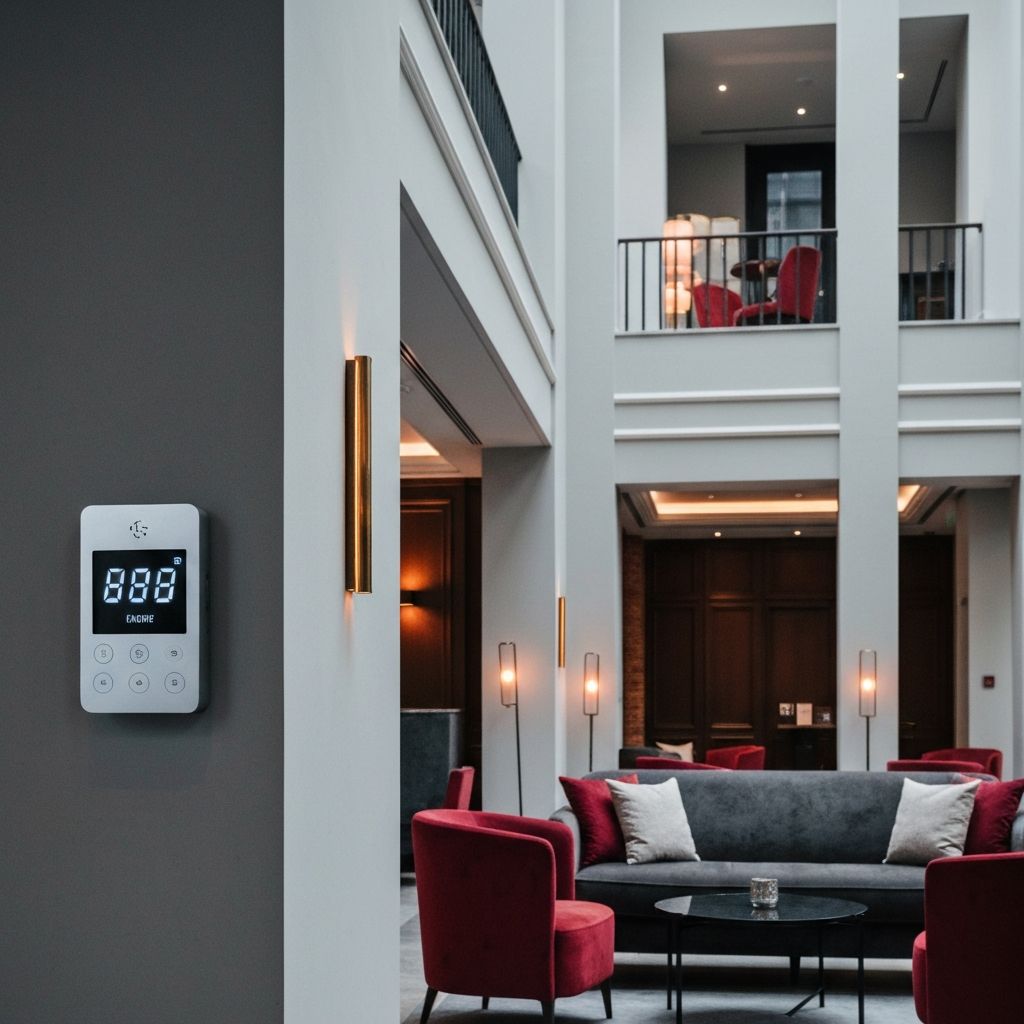
The Verdant thermostat is typically mounted on the wall near the room entrance or on the bedside table area. It features a clean, modern design with a digital display that shows the current room temperature, the set temperature, and the system mode. The unit has simple up and down arrow buttons for temperature adjustment, and some models include a fan speed control button.
The display screen shows several key pieces of information. The large number in the center indicates the current set temperature, while a smaller number may show the current room temperature. An indicator light or icon may show whether the system is in heating, cooling, or fan-only mode. Some models also display a leaf icon or similar indicator when the system is operating in its most energy-efficient mode.
How to Adjust the Temperature
Adjusting the temperature on a Verdant thermostat is straightforward. Press the up arrow button to increase the set temperature or the down arrow button to decrease it. Each press typically changes the temperature by one degree Fahrenheit or one-half degree Celsius, depending on the unit's configuration. After you make an adjustment, the display will show the new set temperature, and the system will begin working to reach that temperature.
Most Verdant thermostats allow guests to set temperatures within a predetermined range, usually between 60 and 80 degrees Fahrenheit (15 to 27 degrees Celsius). This range is set by the hotel management and may vary from property to property. If you press the up or down buttons and the temperature does not change beyond a certain point, you have reached the limit of the guest-adjustable range. If you need a temperature outside this range, you will need to contact the front desk for assistance.
It is important to understand that the Verdant system may take a few minutes to begin producing noticeable temperature changes after you make an adjustment. The system uses a gradual approach to temperature changes to maximize energy efficiency and prevent rapid cycling of the HVAC equipment. Be patient and give the system 10 to 15 minutes to respond to your adjustment before making further changes.
Understanding the Occupancy Sensor
One of the most distinctive features of the Verdant thermostat is its built-in occupancy sensor, which uses passive infrared technology to detect the presence of people in the room. When the sensor detects that the room is occupied, it maintains the temperature at your preferred set point. When the sensor detects that the room is unoccupied for a certain period, typically 20 to 30 minutes, it begins a gradual temperature setback to conserve energy.
The occupancy sensor has a detection range of approximately 15 to 20 feet and a field of view of about 100 degrees. It detects body heat and movement, so it works even in dark rooms. However, the sensor can sometimes have difficulty detecting occupants who are very still, such as when sleeping. If the thermostat seems to be switching to energy-saving mode while you are sleeping, it may be because the sensor cannot detect your body heat from its mounted position. In this case, the system is designed to wake up periodically and quickly return to your comfort temperature if it senses you are present.
Fan Speed and Mode Settings
Some Verdant thermostat models allow guests to control the fan speed of the HVAC system. If your unit has a fan button, pressing it will cycle through the available fan speed settings, which typically include auto, low, medium, and high. The auto setting is recommended for most situations because it allows the system to adjust the fan speed based on the heating or cooling demand. Higher fan speeds can provide faster temperature changes but may produce more noise.
The mode setting on a Verdant thermostat is usually controlled by the hotel and is not adjustable by guests. The system automatically switches between heating and cooling modes based on the outdoor temperature and the room's temperature needs. If you feel that the system is in the wrong mode, for example blowing cold air when you want heat, contact the front desk and they can adjust the mode setting remotely or send maintenance to check the unit.
Troubleshooting Common Issues
If your Verdant thermostat does not seem to be working correctly, there are several common issues and solutions to try before contacting the front desk. If the display is blank or unresponsive, the unit may have lost power. Check to see if the room's circuit breaker has tripped, or contact the front desk for assistance. If the room feels too warm or too cold despite your temperature setting, give the system at least 15 minutes to adjust before making further changes. Rapid, repeated changes to the set temperature can confuse the system's learning algorithm and delay its response.
If the thermostat keeps switching to an energy-saving mode while you are in the room, it may not be detecting your presence. Try moving to a position within the sensor's line of sight, or wave your hand near the thermostat to trigger the occupancy sensor. Some guests find that placing a piece of luggage or a warm object near the sensor can help maintain occupancy detection, but this is generally not recommended as it defeats the energy-saving purpose of the system.
If the air from the vents smells unusual or the system is making strange noises, these are maintenance issues that should be reported to the front desk immediately. Do not attempt to open, disassemble, or reset the thermostat unit yourself, as this could damage the system and may void the hotel's warranty on the equipment.
Tips for Maximizing Comfort
To get the most comfortable experience with a Verdant thermostat during your hotel stay, set your preferred temperature when you first arrive and avoid making frequent adjustments. The system learns from your preferences and becomes more responsive over time. Close curtains and blinds during hot days to reduce solar heat gain and help the system maintain your desired temperature more efficiently. Keep doors and windows closed when the HVAC system is running, as open doors or windows may trigger the system to enter an energy-saving mode.
If you are a particularly warm or cold sleeper, adjust the temperature about 30 minutes before bedtime to allow the room to reach your desired sleeping temperature. Many sleep experts recommend a room temperature of 65 to 68 degrees Fahrenheit for optimal sleep quality. If the thermostat's adjustable range does not go low enough for your preference, request additional fan units from the front desk or ask if they can extend the temperature range on your unit.
The Environmental Impact of Verdant Thermostats
Verdant thermostats are part of a growing trend in the hospitality industry toward sustainable and energy-efficient operations. According to Verdant's published data, their systems can reduce a hotel's HVAC energy consumption by 25 to 40 percent compared to traditional thermostat systems. This translates to significant cost savings for hotels and a meaningful reduction in carbon emissions. By using a Verdant thermostat responsibly during your stay, you are contributing to these environmental benefits.
The system achieves these savings primarily through its intelligent occupancy-based setback feature, which ensures that rooms are not being fully heated or cooled when no one is present. Over the course of a year, the cumulative energy savings across hundreds of hotel rooms can be substantial, making the Verdant system a worthwhile investment for environmentally conscious hotel operators and a benefit for eco-minded travelers.
Conclusion
Setting and using a Verdant hotel room thermostat is a simple process once you understand its basic operation and features. By using the up and down arrows to set your preferred temperature, understanding the occupancy sensor's behavior, and following the tips outlined in this guide, you can ensure a comfortable stay while supporting the hotel's energy conservation efforts. If you encounter any issues that you cannot resolve on your own, do not hesitate to contact the hotel's front desk for assistance.
